 WipeTok
Can You Make TikTok Reposts Private? What Works
Jul 13, 2026 · WipeTok · Updated Sep 2, 2026
Sources & testing approach · WipeTok product details

People search for this expecting a toggle: keep my reposts, but stop showing them to everyone. That per-repost toggle does not exist. TikTok ties repost visibility to your account privacy, so your real choices are making the whole account private, removing selected reposts, or limiting a specific person's access to your profile.
Source: TikTok Help Center — who can see reposted content ↗
Option 1: make your whole account private
Switching your account to private (Profile, then Settings and privacy, then Privacy, then Private account) hides your entire profile from non-followers, including your Reposts tab. New followers need your approval.
The catch is scope. This changes how your whole account works: your videos stop reaching non-followers, your content can't be discovered from search, and approved followers still see every repost. If your only goal is quieter reposts, making the entire account private is usually too heavy a trade-off.
Option 2: remove the reposts you don't want seen
Since reposts can't be hidden, removing them is the only control that works per video, and it's fully reversible in spirit: you can always repost something again later. To remove one:
- Open your profile and tap the Reposts tab.
- Open the video you want gone.
- Tap the Share button (or the Repost label), then tap Remove repost.
Removing a repost never deletes the creator's original video and doesn't notify anyone. The pain point is volume: TikTok only removes reposts one at a time, and there's no select-all. If you're clearing months of them, that's a long manual grind.
That volume problem is what WipeTok handles. It's a free Chrome extension and an iPhone app that scans your Reposts tab and removes reposts in visible, paced batches with pause and stop controls. It automates the same one-at-a-time removal TikTok offers, because no bulk API exists, and it never asks for your password: you sign in to TikTok yourself, in your own session. WipeTok is independent and not affiliated with TikTok.
Option 3 (different problem): hide other people's reposts from your feed
A lot of people searching for turning off reposts actually mean the other direction: they're tired of seeing friends' reposts in their For You feed. You can't disable reposts as a feature, but you can teach the feed to show fewer: long-press the video and tap Not interested. Doing this consistently reduces how often reposted content surfaces for you.
Can you hide reposts from one specific person?
This is the most common version of the question: can you hide your reposts from a boss, a family member, or an ex, while everyone else still sees them? No. TikTok has no per-person visibility control for reposts. You cannot blacklist one account from your Reposts tab and leave it open to the rest of your followers.
The only reliable ways to keep one particular person out are blunt ones: remove them as a follower, or block their account. Blocking is the only guaranteed way to stop someone from opening your profile and scrolling your reposts. Both are heavy-handed, which is rather the point: TikTok simply does not give you a setting for this.
Getting the Reposts tab off your profile entirely
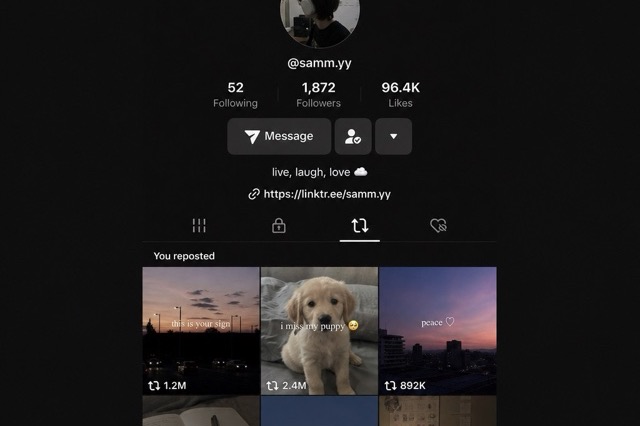
People often ask how to remove the Reposts tab from their profile. There is no setting that hides it, but there is a quirk worth knowing: the tab only exists while there is something in it. Clear every repost and the tab disappears from your profile on its own.
So hiding the tab and clearing your reposts are the same job. If a completely clean profile is the goal, you are back to Option 2, and for a long repost history that is exactly the repetitive work WipeTok automates.
Skip the repost entirely: Favorites and DMs
If you keep wishing your reposts were private, the real fix may be to stop creating them. TikTok already has two private ways to do what most people use reposts for:
- Favorites: tap the bookmark icon and the video goes to a Favorites tab only you can see, unless you deliberately make your favorites public. This is the right tool for saving something for later with no audience.
- Direct messages: if you only want a couple of friends to see a clip, send it in a DM. That stays between you and them and never touches your public Reposts tab.
Neither one shows up as a public endorsement on your profile, which is exactly what people are trying to undo when they go looking for a way to hide reposts.
What about a real privacy setting in the future?
TikTok's settings change often, so it's worth glancing at Settings and privacy, then Privacy occasionally to see if repost controls were added. As of mid-2026, no repost privacy toggle exists there. Until that changes, the practical playbook stays the same: keep the reposts you're happy to endorse publicly, remove the rest, and don't rely on a hide feature that isn't there.
Frequently asked questions
Can you make reposts private on TikTok without going fully private?
No. There is no setting that hides just one repost or the Reposts tab. The practical choices are switching the entire account to private or removing reposts, one at a time natively or in controlled batches with a tool like WipeTok.
How do you turn off reposts on TikTok?
You can't disable the repost feature itself. What you can do: remove reposts from your own profile (Share menu, then Remove repost), and reduce other people's reposts in your feed by long-pressing a video and tapping Not interested.
Does making my account private hide my reposts?
From non-followers, yes: a private account hides your whole profile, including the Reposts tab. Your approved followers still see all of your reposts, and the private switch affects your entire account, not just reposts.
Can you hide reposts from someone on TikTok?
No. TikTok has no per-person visibility setting for reposts, so you cannot hide your Reposts tab from one account while leaving it visible to everyone else. The only reliable ways to keep a specific person out are removing them as a follower or blocking them.
How do you remove the Reposts tab from your profile?
There is no setting for it. The tab only appears while you have at least one repost, so clearing all of your reposts makes it disappear from your profile on its own.
Related reading

Clean up your TikTok reposts
WipeTok scans your repost trail and cleans it in visible, controlled batches — no password collection.
See how the Chrome extension works →