 WipeTok
Why Can't I Repost on TikTok? Every Reason, Explained
Jul 13, 2026 · WipeTok
Sources & testing approach · WipeTok product details

You found a video you want to share, opened the Share menu, and there's no Repost button. This is one of the most common TikTok complaints, and the cause is almost always one of a handful of things. Here's the full list, from most to least likely, plus what you can actually do about each one.
First: reposting isn't offered on every video
The Repost button is not a universal feature that appears on all videos. TikTok decides where to offer it, and there are several situations where it simply doesn't show up:
- Your own videos. TikTok doesn't let you repost content you posted yourself; reposting is built for recommending other people's videos.
- Videos from private accounts. Content that isn't public can't be pushed into other people's feeds, so there's nothing to repost.
- Videos where the creator has restricted sharing. Creators can limit how their content spreads, and that can remove repost as an option.
- Ads and sponsored content. Promoted videos use a different share menu.
- Some videos outside your For You or Following feeds. Reposting is primarily a feed feature, and on some surfaces (like some search results or profiles) the option can be missing even for public videos.
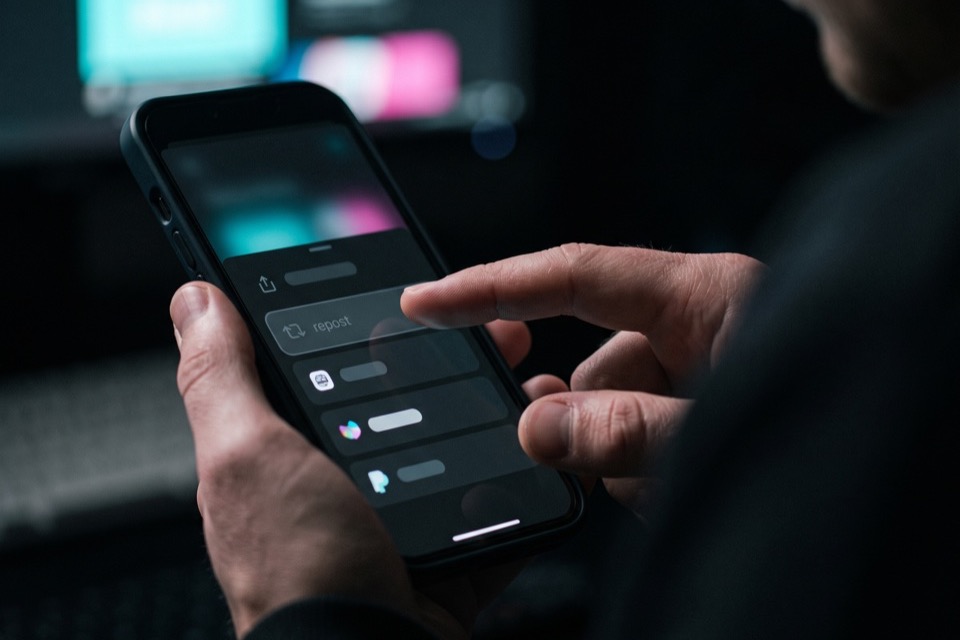
If the button is missing everywhere: app-side causes
If you can't find Repost on any video at all, the problem is usually the app itself rather than your account:
- Outdated app version. Repost has rolled out gradually over the years, and old versions can lack it entirely. Update TikTok in the App Store or Play Store first; this fixes most cases.
- A stale session or cache glitch. Log out and back in, or clear the cache from Settings, then Free up space inside TikTok.
- A temporary bug. Force close the app and reopen it, or restart your phone. Share-menu options occasionally fail to load.
- Region and account differences. Feature availability can differ by country and account type, so a friend's app having the button doesn't guarantee yours will, even on the same video.
Did TikTok remove the repost feature?
No. Reposting is still a core TikTok feature. If it vanished for you overnight, you're almost certainly looking at an app bug, an experiment TikTok is running on some accounts, or a video that was never repostable in the first place. It's not a sign your account was punished, and repost access isn't something you can toggle on or off in settings.
The opposite problem: reposting too much
Plenty of people land on this page while double-checking how reposting works because they've been burned by it before: the button sits right next to other share options, and it's easy to hit by accident. Every repost lands in the public Reposts tab on your profile, and TikTok only lets you remove them one at a time.
If your Reposts tab has already piled up, WipeTok cleans it out for you: it's a free Chrome extension plus an iPhone app that scans your reposts and removes them in visible, paced batches with a stop button. It automates the same one-at-a-time Remove repost action you'd do by hand, because TikTok has no bulk-removal feature or public API. WipeTok is independent and not affiliated with TikTok.
Frequently asked questions
Why is there no Repost button on some TikTok videos?
Reposting is only offered on some videos, generally public videos surfaced in your feeds. Your own videos, videos from private accounts, ads, and videos whose creators restricted sharing don't show the option. It's a per-video limitation, not an account problem.
Why can't I repost my own TikTok video?
TikTok doesn't allow it. Reposting is built for recommending other people's content to your followers. If you want your own video seen again, the usual options are pinning it to your profile or sharing it another way.
How do I fix the Repost button not showing on any video?
Update TikTok to the latest version, then force close and reopen it. If it's still missing, log out and back in, clear the cache via Settings, then Free up space, or restart your phone. If none of that works, availability may differ for your region or account type.
Related reading

Clean up your TikTok reposts
WipeTok scans your repost trail and cleans it in visible, controlled batches — no password collection.
See how the Chrome extension works →