 WipeTok
Does Removing a TikTok Repost Notify Anyone?
Jun 9, 2026 · WipeTok · Updated Sep 17, 2026
Sources & testing approach · WipeTok product details

Does TikTok send a removal notification?
The official repost guide explains how to undo a repost, but does not specify what notifications a creator or follower receives when you do. We have not run a current two-account notification test. We therefore cannot promise that removal is invisible across every TikTok version and account.
Source: TikTok Help Center — repost and removal instructions; notification behavior is not specified ↗
Removing a repost is different from erasing its history
| Question | What you should assume |
|---|---|
| Can someone have seen my repost already? | Yes. Undoing an action cannot undo an earlier view or screenshot. |
| Does removal recall an earlier alert? | Do not rely on that. TikTok’s repost guide does not document recalling notifications. |
| Does it delete the creator’s video? | You are undoing your repost, not deleting a video owned by its creator. |
| Can someone notice it is missing? | Someone who previously saw the repost could notice a change, even without a removal alert. |
How to undo an accidental repost
- Return to the video you reposted.
- Open Share and choose Remove repost. TikTok also documents a press-and-hold route to Remove repost.
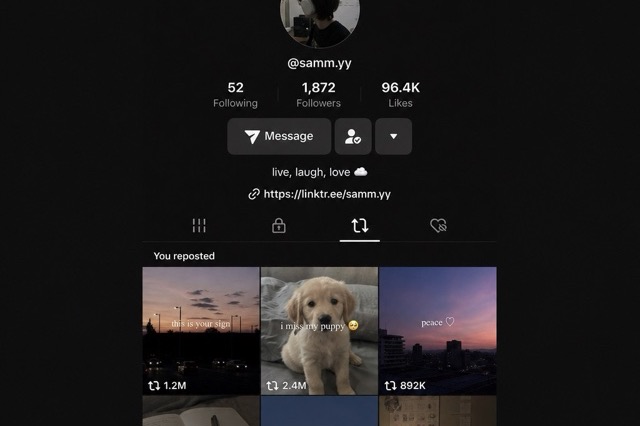
- Return to your Reposts tab and refresh to check the result.
If you cannot find the video, start with your profile’s Reposts tab. Avoid repeatedly tapping Repost while checking: that can create a new repost instead of confirming removal.
Can I check notification behavior myself?
If this matters for your situation, use a non-sensitive video and a consenting friend or a second account you control. Note the TikTok app version, devices, date, and notification settings. Check the receiving account’s inbox and push notifications before reposting, after reposting, and after removing it. A result from that test describes those conditions, not every account.
What about removing several reposts with WipeTok?
WipeTok helps with scanning and cleanup, but does not control TikTok’s notification system or erase what other people already saw. Our controlled extension checks cover removal controls; they do not test live notifications. For a single accidental repost, TikTok’s own removal action is enough.
Source: What WipeTok’s controlled extension checks do and do not verify ↗
Frequently asked questions
Does removing a TikTok repost notify the creator?
TikTok’s official repost instructions do not describe a removal notification. We have not verified every app version or account, so this should not be treated as a guarantee that removal can never generate an alert.
Will removing a repost delete a notification that was already sent?
Do not assume so. TikTok’s repost help page does not document recalling earlier notifications, and removal cannot undo a view or screenshot.
Can my followers tell that I removed a repost?
A follower who saw it earlier may notice it is missing later. That is different from receiving a dedicated removal notification.
Does WipeTok make repost removal invisible?
No. WipeTok provides cleanup controls, but does not control TikTok’s notifications or prevent someone from noticing a change.
Related reading

Clean up your TikTok reposts
WipeTok scans your repost trail and cleans it in visible, controlled batches — no password collection.
See how the Chrome extension works →